The grocery problem
A grocery buyer comes back for the same staples, often in more than one unit. The shop has to show a category such as fruit or dairy, keep a pack from selling when the shelf count is gone, and tell people the delivery rule before they fill the basket. A restaurant menu does not cover that.
How a grocery shopper uses it
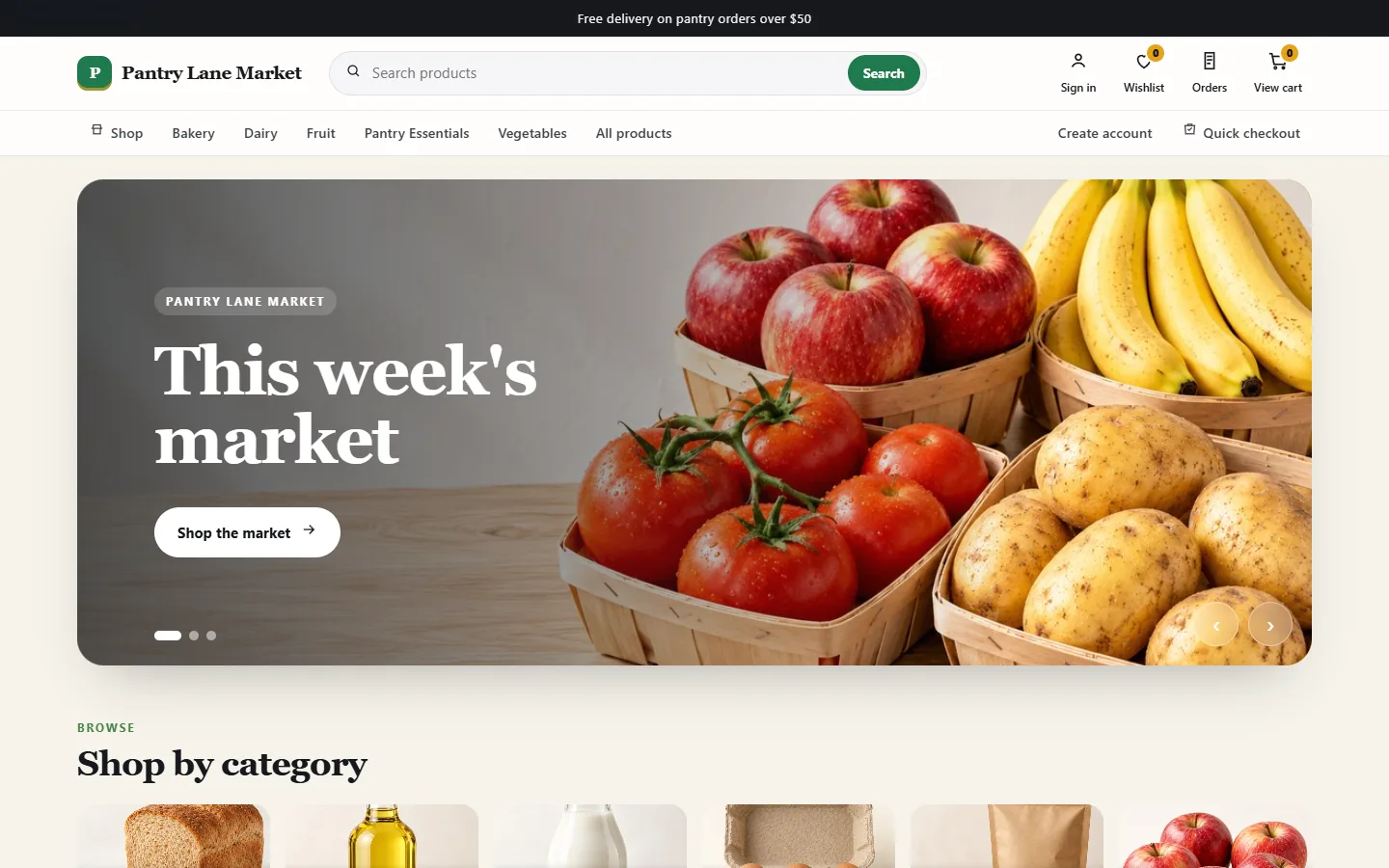
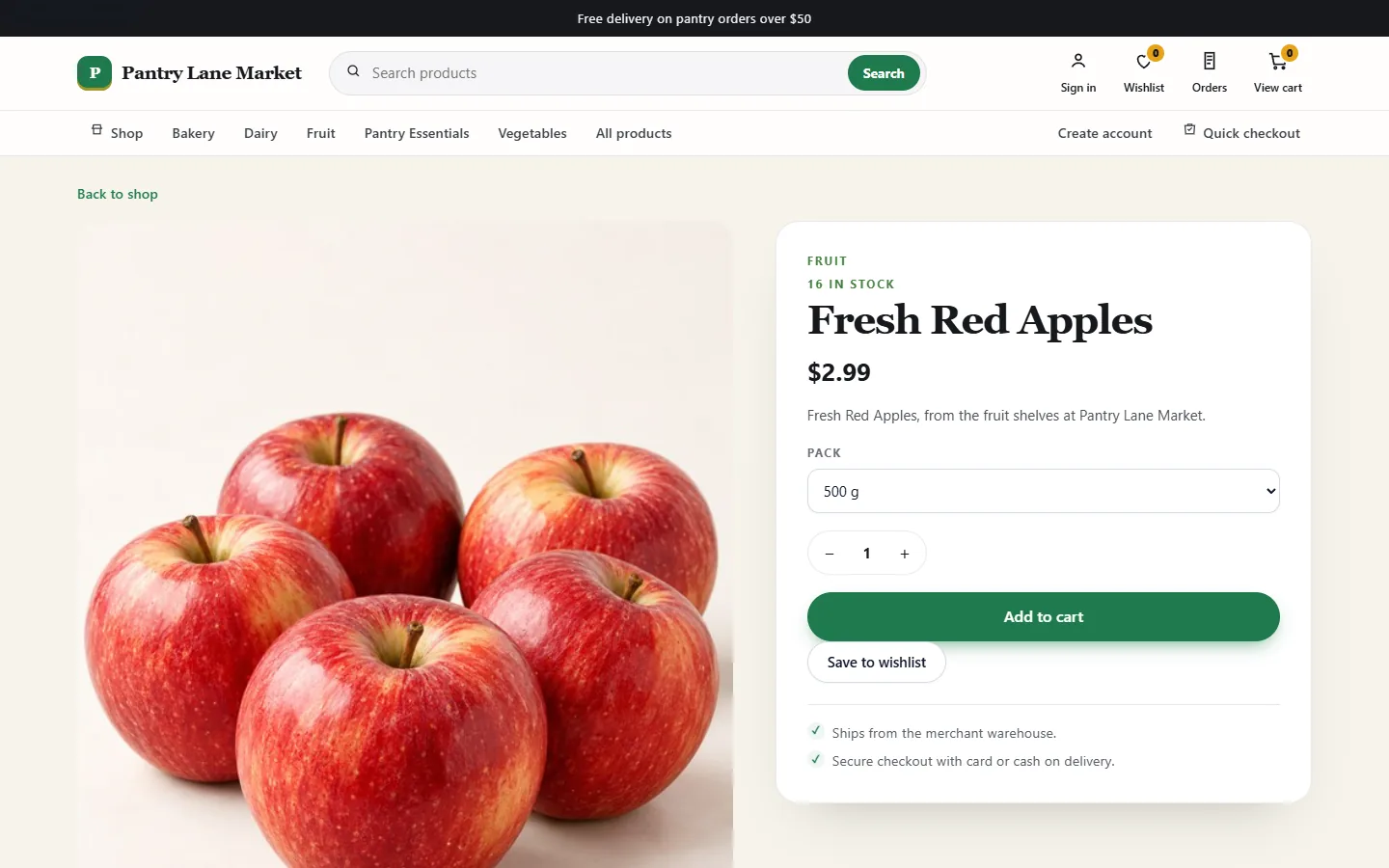
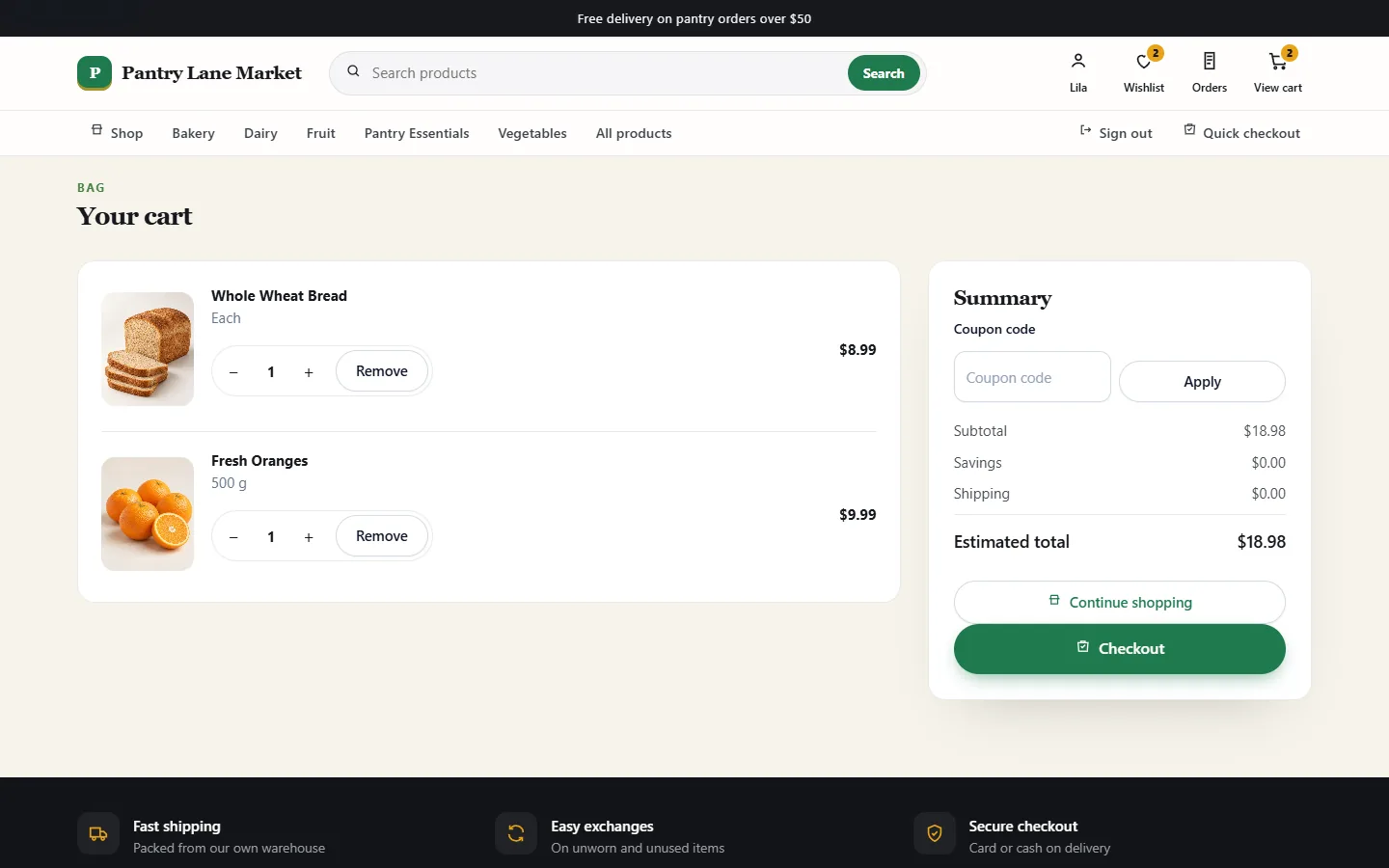
The demonstration opens on a weekly market banner, then categories for bakery, dairy, fruit, pantry essentials and vegetables. Search sits in the header. On a product, the shopper picks a pack such as 500 g, saves it to a wishlist, or adds it to the cart. The cart accepts a coupon code. Checkout in this demo offers card or cash on delivery. A bar at the top can announce free delivery over a set amount. The same website works in a phone browser, and the separate grocery app is shown further down.
How you manage grocery stock
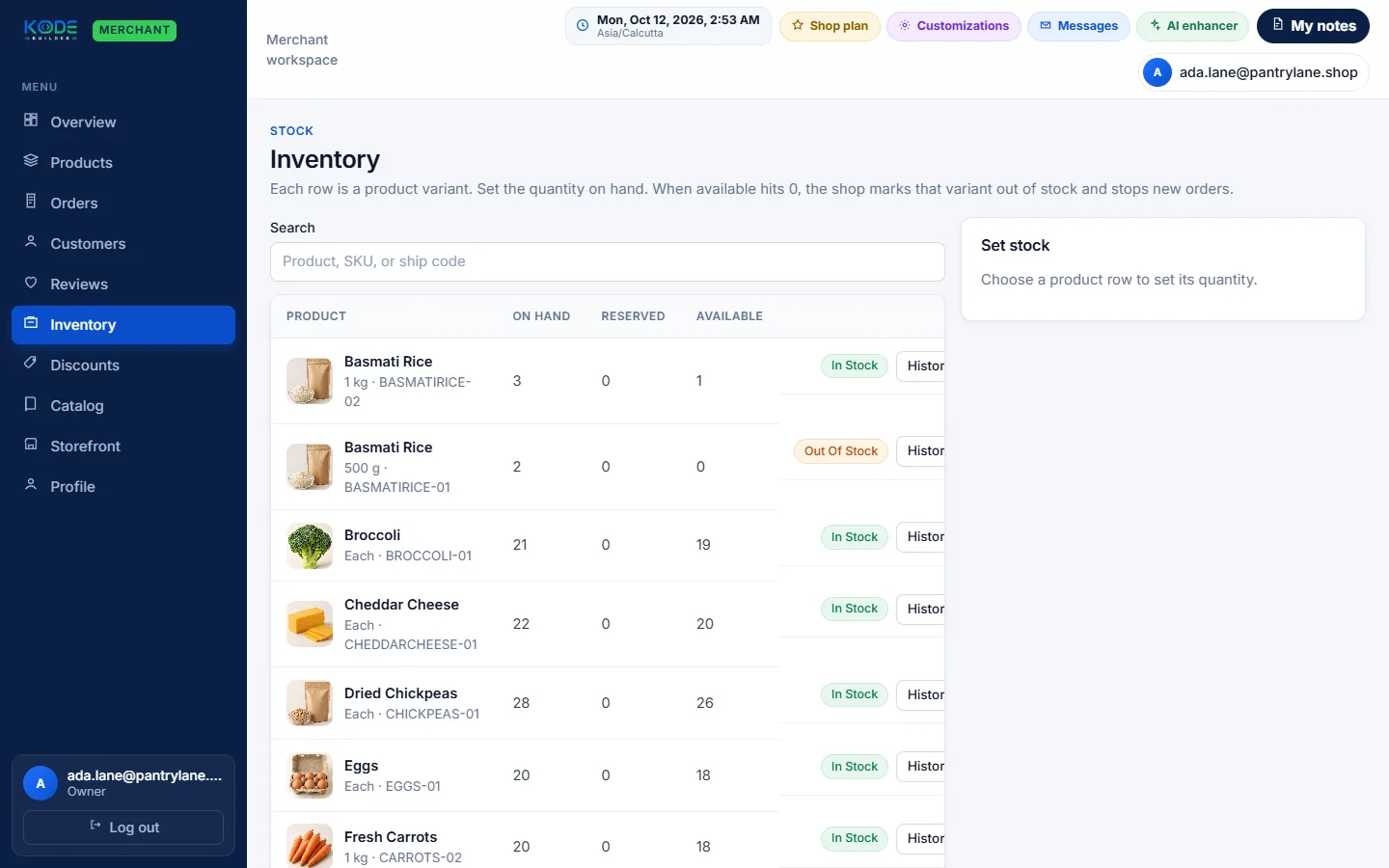
Each pack is its own inventory row, with on hand, reserved and available counts. In the demonstration, a 1 kg rice row can still be available while the 500 g row is out of stock, and that out-of-stock pack stops new orders. The storefront editor can publish a WhatsApp number for the shop. That control is not on the inventory screenshot above. Sample amounts on any dashboard are not KodeBuilder sales.
Grocery ordering on a mobile app
The same grocery store can run as an iOS and Android app with your store name. Shoppers browse categories, pick a pack size and check out from the app, and the orders land in the same merchant workspace as website orders. Apps are available at extra cost on any plan.
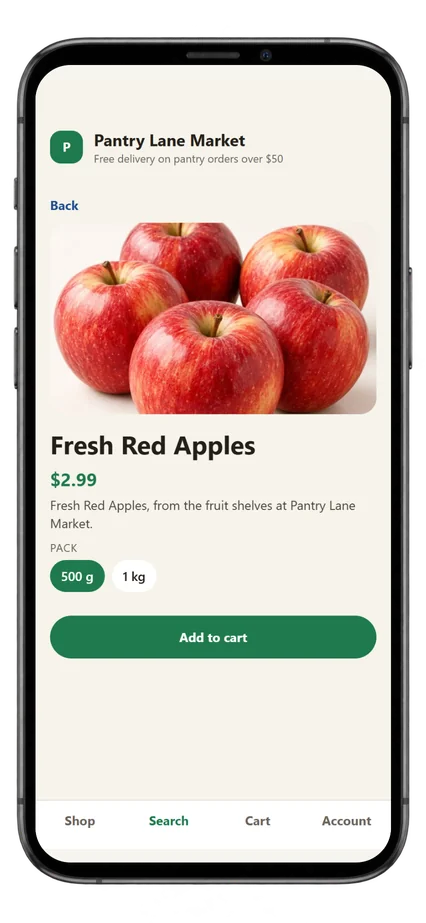
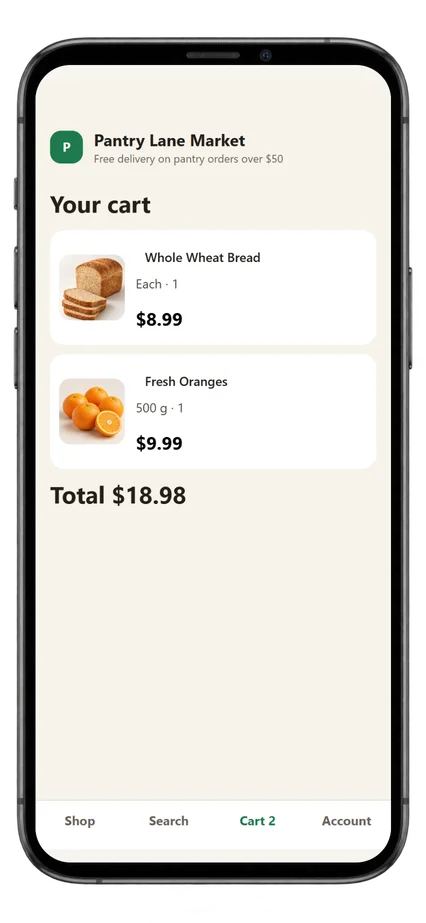
Demo store — sample products, prices and data.
Two ways to start
Run the grocery catalogue yourself on KodeBuilder Commerce after the team reviews access. The free plan covers up to 25 products. The Store plan, for up to 50 products with a payment gateway, is ₹1,500 per month in India and US$15.99 in the United States; see plans for every country. If you need pickers, riders or a delivery app, that is a different job on grocery delivery app development. A store written around your own warehouse rules is custom ecommerce development.
Run the grocery shop yourself
Categories, pack sizes and stock stay in your merchant workspace after access is approved.
Ask KodeBuilder to build it
A custom grocery system is quoted separately from the store builder.
Frequently asked questions
Yes in the grocery demo. One product can be sold as more than one pack, such as 500 g and 1 kg, and each pack has its own stock count.
When the available count for that pack reaches zero, the demo shop marks it out of stock and stops new orders for that pack.
The grocery demo checkout offers card or cash on delivery. A live store's payment methods are confirmed in the access review.
Not quite. This page is a grocery ecommerce platform on KodeBuilder Commerce, and the store can also have its own iOS and Android shopping app at extra cost. A custom grocery delivery app with pickers and riders stays on the grocery delivery app development page.
Request access
Say that you want a grocery shop on KodeBuilder Commerce. We check the request before the store is switched on.