What KodeBuilder Inventory is
Small shops often find out an item has run out when a customer asks for it. KodeBuilder Inventory is inventory management software for retail stores that keeps stock levels, reorder points and recorded sales in one place, for one store or several. Owners see the whole business at a glance, and staff update stock from the shop floor on their phone.
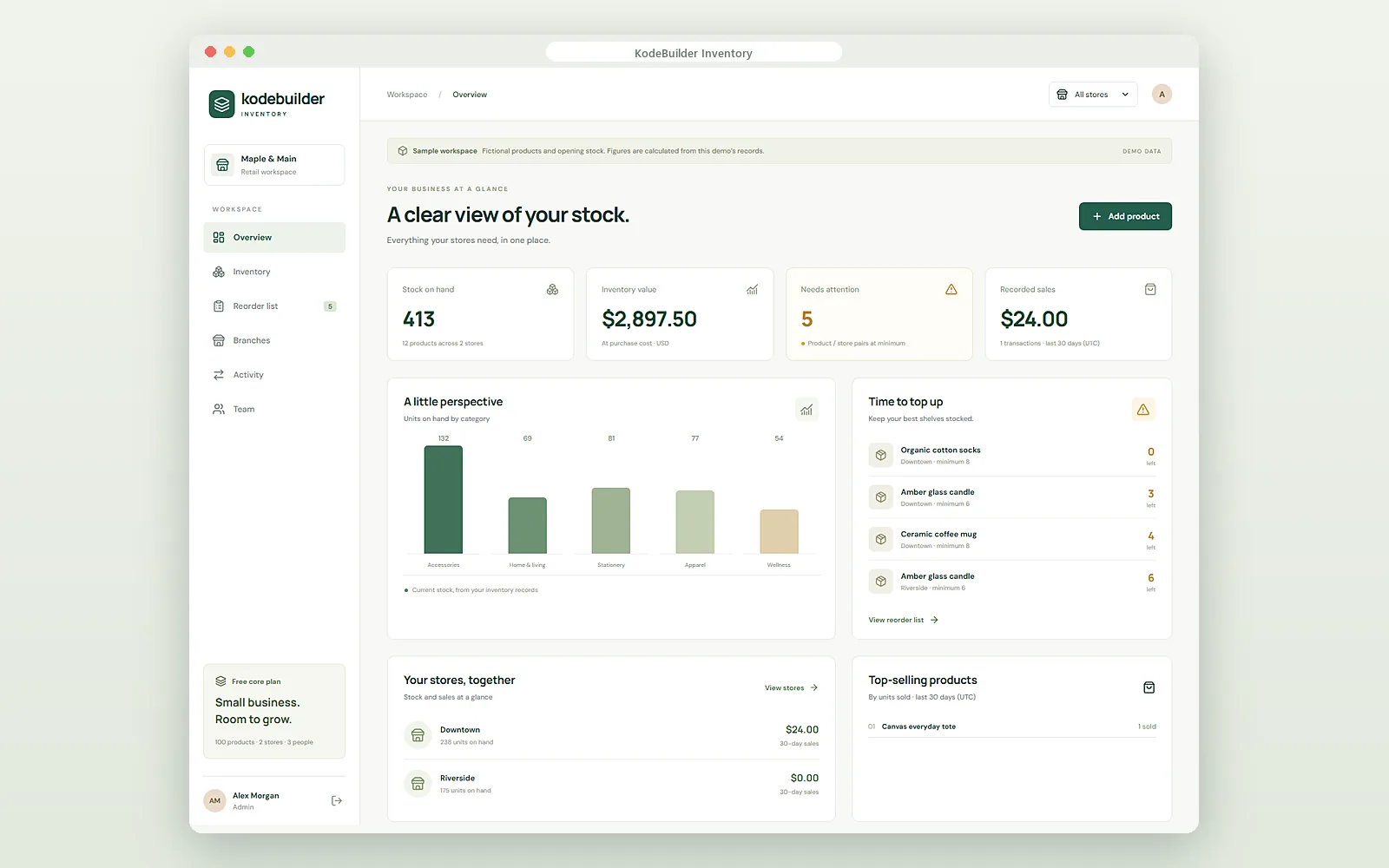
See stock, value and sales at a glance
The overview answers the questions an owner asks every morning:
- Stock on hand: total units and products across your stores.
- Inventory value: what your stock is worth at purchase cost.
- Needs attention: how many items are at or below their minimum, with a "time to top up" list.
- Recorded sales: sales and transactions over the last 30 days.
- Units by category and top-selling products by units sold.
- Your stores, together: stock and 30-day sales for each store.
Reorder list: know what to buy and how much
Each product has a minimum and a target level for each store. When stock reaches the minimum, the item moves onto the reorder list with a suggested order quantity: the target level minus what is on hand. You can search by product or SKU and filter by category, and the list updates as stock changes.
KodeBuilder Inventory does not send orders to suppliers. You buy as you do today, then receive the stock into the app when it arrives, so stock levels stay correct.
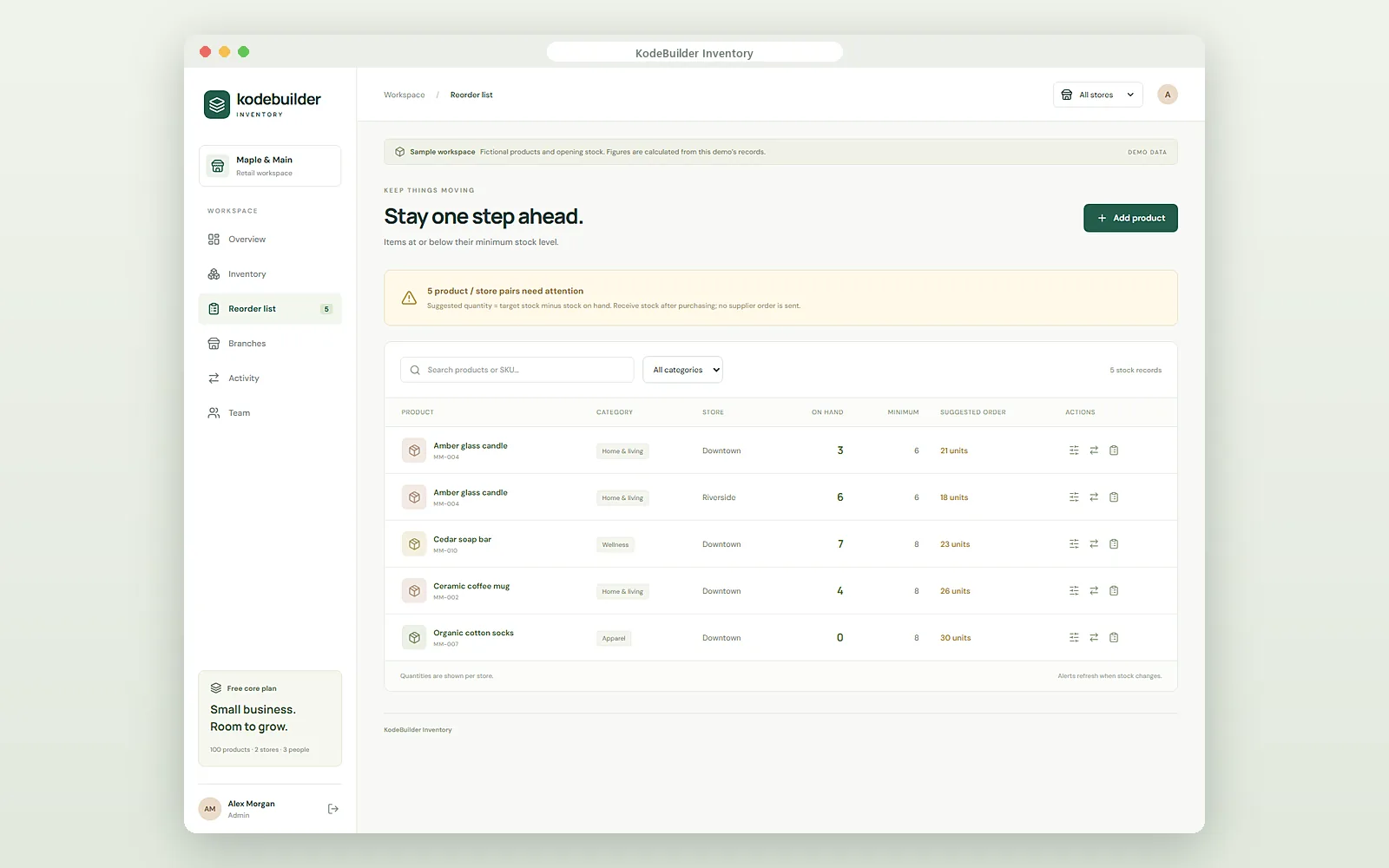
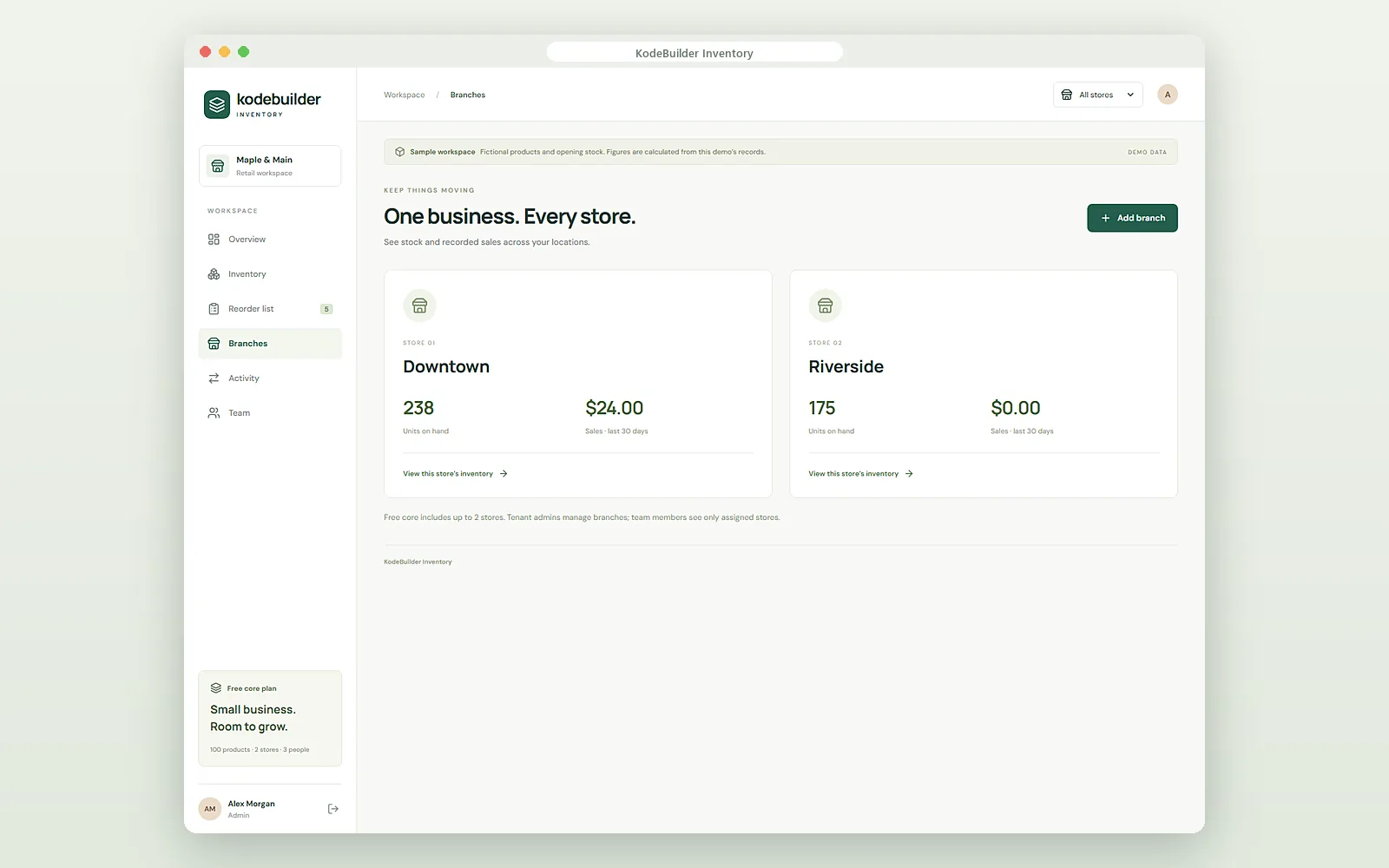
Multi-store inventory in one view
If you run more than one shop, each store keeps its own stock and sales. The branches page shows units on hand and sales for the last 30 days for every store, and you can open any store's inventory from there. A store switcher at the top filters every screen to one store or shows all of them together.
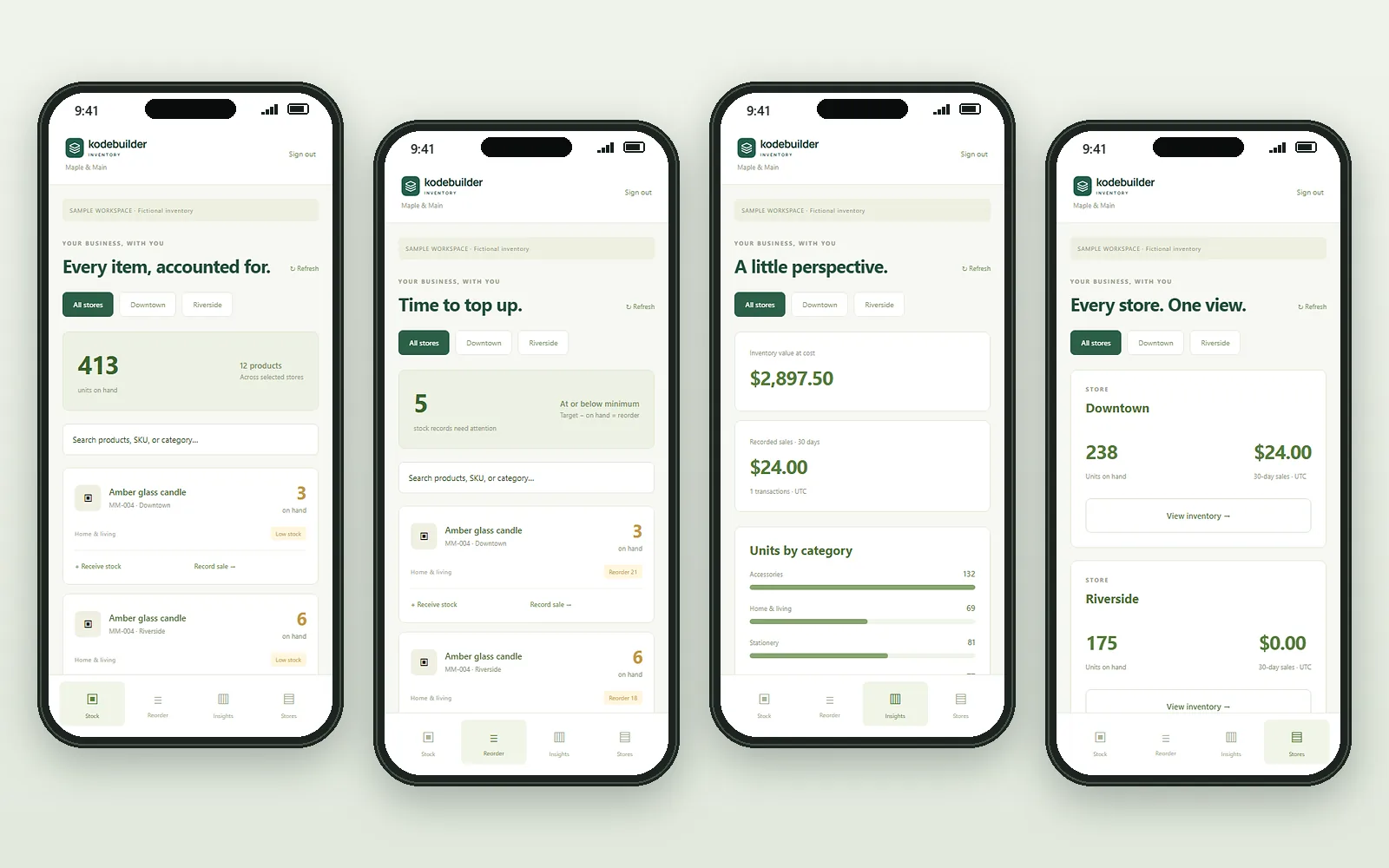
Inventory app for the shop floor
The KodeBuilder Inventory mobile app puts the same stock in your pocket. Staff can:
- search stock by product, SKU or category and see low-stock items flagged;
- receive stock when a delivery arrives and record a sale;
- check the reorder list and how many units to order;
- see inventory value at cost, 30-day sales and units by category;
- switch between stores or view all of them.
Team access and a full stock history
Give each person the access they need and only the stores they work in:
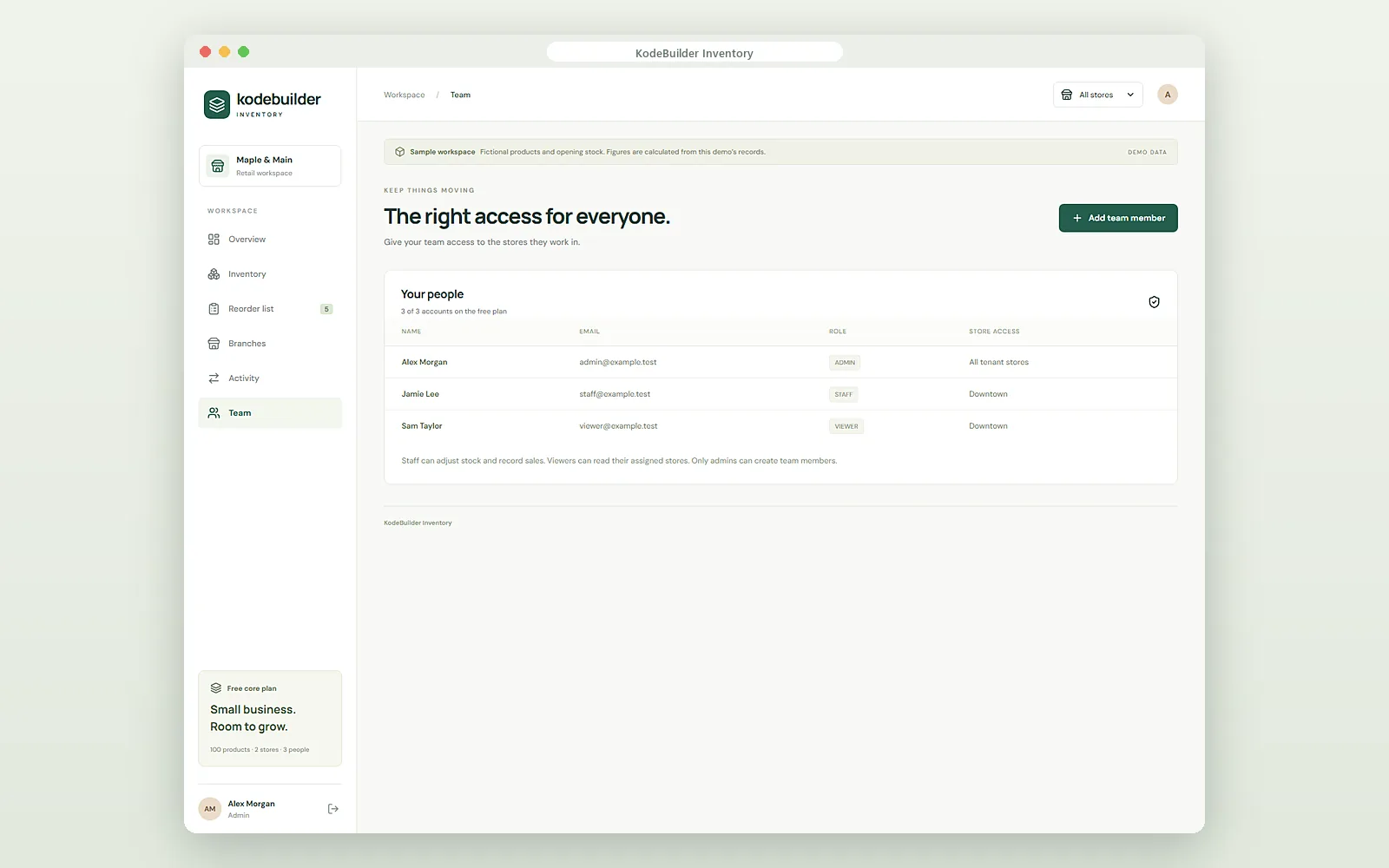
- Admin: manages stores and creates team members.
- Staff: adjusts stock and records sales in their assigned stores.
- Viewer: can see their assigned stores but cannot change anything.
Every stock change is logged with who made it, when and why, so you can trace a missing item or a wrong count.
Who it is for
- Independent shops and boutiques that want simple inventory software for a small business, with a free plan to start.
- Owners with two or more stores who need stock and sales per branch in one place.
- Gift, home, apparel and specialty retailers that reorder the same products regularly.
- Teams with part-time staff who should update stock without seeing every store or setting.
Selling online as well? See KodeBuilder Commerce. Selling to dealers and retailers? See Dealer Portal. All products are on the KodeBuilder products page.
Pricing and access
A free core plan is available for small businesses, with up to 100 products, 2 stores and 3 people. Larger plans are quoted after a short demo, based on your products, stores and team. You request a demo, and the team reviews the details before your workspace is activated. KodeBuilder Inventory is offered in the United States, Canada, the United Kingdom, Australia and India.
Run your stores on KodeBuilder Inventory
You manage products, stock, reorders and your team after access is approved.
We build it for you
Custom inventory rules, integrations with your systems or a fully custom inventory system is scoped as a project.
Frequently asked questions
KodeBuilder Inventory is inventory software for small retail businesses. It shows stock on hand in each store, the value of your inventory at cost, which items need reordering and recorded sales by store, on desktop and in a mobile app.
Yes. Each store keeps its own stock levels and sales. You can view all stores together or one store at a time, and each team member only sees the stores they are assigned to.
Each product has a minimum and a target level per store. When stock falls to the minimum or below, the item appears on the reorder list with a suggested quantity: the target level minus what is on hand.
No. The reorder list tells you what to buy and how much. You order from your supplier as usual, then receive the stock into KodeBuilder Inventory when it arrives.
Yes. Staff can search stock by product, SKU or category, receive stock, record a sale, check the reorder list and see each store's numbers from their phone.
A free core plan is available for small businesses, with up to 100 products, 2 stores and 3 people. Larger plans are quoted after a short demo.
Request a demo
Tell us about your stores. We show you KodeBuilder Inventory and review the details before activation.